It’s always annoying when you do a search (ctrl+h) in Eclipse and it produces results from directories you do not care about.
In my particular case, the project’s ant build expands the built war files into a directory named target. Since this directory duplicates the files in the regular WebContent directory, often times I end up editing the WRONG file from the search results. I will be spending minutes trying to figure out why weren’t my changes taken place once they are redeployed to tomcat.
So I was finally annoyed enough to do some research on how I can stop Eclipse from searching in directories I do not care about.
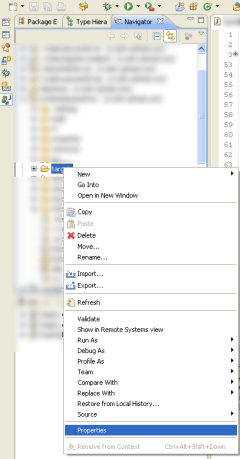
- Go to the navigator view of your workspace.
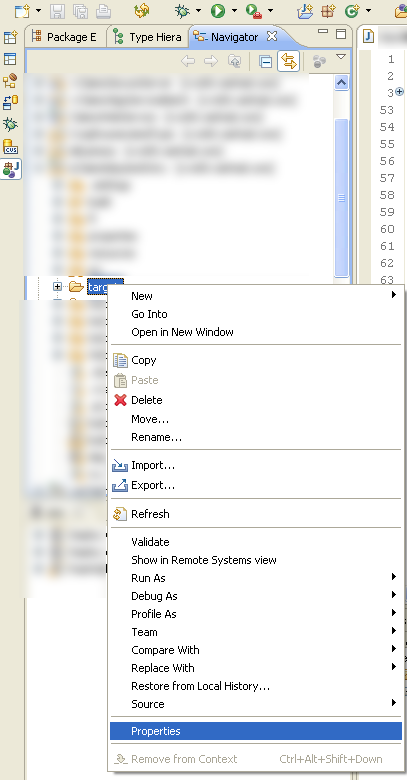
- Right click on the directory you do not wish Eclipse to search. Click on Properties.
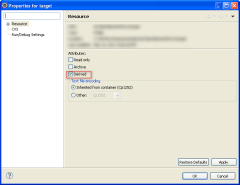
- Select attribute Derived.

That should be all you need. Do another search to verify that the files in that directory no longer show up.
 Pure-Essence.Net